---
lang: ja-JP
layout: wiki
section: twilightmenu
category: other
title: ワイドスクリーンでプレイ
description: ニンテンドー3DSでTWiLight Menu++をワイドスクリーンでプレイする方法
---
This section requires a 3DS family console, running a modern CFW environment from [3ds.hacks.guide](https://3ds.hacks.guide).
{:.alert .alert-info}
If you're currently using Luma v13, please update to v13.0.1, before following this guide.
{:.alert .alert-info}
### インストール
1. FBIを開き、`Remote Install`を選択し、`Scan QR Code`を実行します
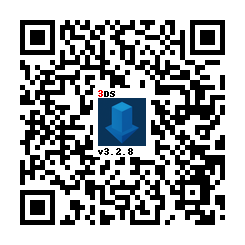
1. このQRコードをスキャンして、[Universal-Updater](https://github.com/Universal-Team/Universal-Updater)の最新バージョンをインストールします
1. Open Universal Updater from your HOME Menu
1. Install the TWPatch package
- If your console is unable to access the Internet, you can download [TWPatch.cia](https://gbatemp.net/download/twpatch.37400/version/38832/download?file=302085) directly, then install it with FBI
1. Return to the HOME menu and launch TWPatch
- If you get a message which says `Can't open /luma/exeTWL.bin`, then use [TWLFix-CFW](https://github.com/MechanicalDragon0687/TWLFix-CFW/releases/) to fix broken TWL mode
1. Hold Y + B to open the patch menu and enable `Widescreen patch (384x240 16:10)`
1. (Optional!) For a less pixelated widescreen, also enable `GPU scaling (blurry, no filters)`
1. Press B to exit the patch menu
1. Press START to generate a `TwlBg.cxi` file with widescreen
- If the top screen doesn't indicate that wide patch is enabled, start from step 3 again
1. Move `TwlBg.cxi` from `sd:/luma/sysmodules/` to `sd:/_nds/TWiLightMenu/TwlBg/` (create `TwlBg` folder, if it doesn't exist), and rename the file to `Widescreen.cxi`
1. Restart your 3DS while holding SELECT to open Luma3DS's configuration
1. Enable `external FIRMs and modules`, then press START to save and quit
1. Open TWiLight Menu++, press Y on your desired game to bring up the per-game settings, and set `Screen Aspect Ratio` to `16:10`
すべて完了しました! ワイドスクリーンでDSゲームをお楽しみください!
**注:**
1. ワイドスクリーンがグリッチに見えないようにするには、TWLMenu++を起動する時にSTARTまたはSELECTを長押ししない
1. すべてのゲームがワイドスクリーン対応ではありません。 [ワイドスクリーン付きゲームのリストはここにある](https://github.com/DS-Homebrew/TWiLightMenu/blob/master/7zfile/3DS%20-%20CFW%20users/Games%20supported%20with%20widescreen.txt)
1. If you're stuck in widescreen mode in all of TWL_FIRM (including the TWLMenu++ GUI) after following this guide and launching a widescreen-compatible game, delete `TwlBg.cxi` at `sd:/luma/sysmodules/`.
- If the problem persists, [uninstall](https://wiki.ds-homebrew.com/twilightmenu/uninstalling-3ds) and [re-install](https://wiki.ds-homebrew.com/twilightmenu/installing-3ds) TWiLight Menu++, and re-follow the above guide, as well as using the original build of Luma
1. ほとんどのワイドスクリーンパッチは、3D要素のみをワイドスクリーン用に調整する、2D要素(メニューなど)は引き延ばされますのみです
1. Luma3DS **must** be loaded from the SD card, if widescreen isn't working ensure that you have `boot.firm` in the root of your SD