| .github | ||
| arm7 | ||
| arm9 | ||
| nitrofiles | ||
| .gitignore | ||
| hwinfo.py | ||
| icon.bmp | ||
| Makefile | ||
| README.md | ||
| USAGE.md | ||


 TwlNandTool
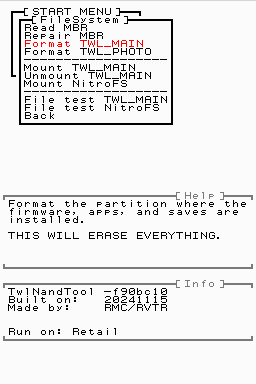
TwlNandTool is the best DSi NAND repair tool out there, offering features such as:
- Fixing MBR
- Formatting FAT partitions
- Recovering deleted HWInfo Secure
- Installing Stage2 (NandFirm)
- Installing new system files
- Installing minimal firmware titles and unlaunch
- Testing firmware and DSiWare for corruption
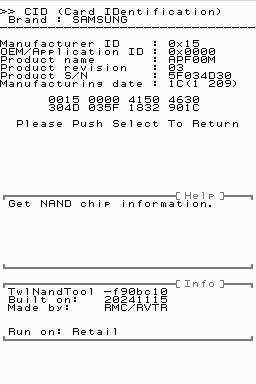
- Lots of useful NAND diagnostic info
- And more documented here!
Why do these matter? No matter how badly messed up your DSi is- even if your NAND is zerofilled- TwlNandTool can put it back in a working state. You don't even need a NAND backup (though it is still HIGHLY RECOMMENDED)! Best of all, it's compatible with retail and development DSis both!
Building
devkitPro decided to release libnds v2.0 and break... everything. Features I need like lower level NAND editing do not seem to work in the new calico, so I'm evily forcing you to use an offensive pre-v2.0 docker image that'll destroy the community or something. I think that's what devkitPro would say. Anyways:
Download the outdated docker image!
docker image pull devkitpro/devkitarm:20241104
Run the outdated docker image!
docker run --rm -v /home/rvtr/Desktop/TwlNandTool:/work \
    -it --entrypoint bash devkitpro/devkitarm:20241104
This will open a shell. Simply do this:
cd work
make
I have made a backup in case the docker image ever gets pulled.
Contributing
I'm basing a lot of this off of my private DSi NAND archive and a lot of DSi factory tools. If you have any of the above, especially a bricked DSi, please contact me. Having these as a reference is extremely helpful for covering more edge cases.
Notes
- I am including my own hostile and outdated fork of libfat (devkitPro's enemy speedrun any %). This is to block
nand_Startup()duringfatMount(). Without this having a NAND re-mount would runnand_Startup()more than once and break every NAND R/W function until reboot... - I do not use the release NandFirm/stage2/bootloader (v2435-8325). Instead I use newer NandFirms as listed below. These NandFirms are able to run unlaunch, however they will stop the installer from working ("unknown bootcode version"). Unlaunch installs carry a brick risk by sometimes erasing the Launcher TMD, so this will somewhat forcefully encourage users to move to a safer installer. Normally I'm against intentionally breaking things but this will prevent future bricks.
- v2265-9336 (prod)
- v2725-9336 (dev)
- My HWInfo Secure recovery works by searching specific locations for HWInfo. As far as I can tell an officially created HWInfo Secure will only start at one of the below 3 offsets. Homebrew (like this tool) will likely create it elsewhere.
0x790000: retail and pandas0x784000: ISTC (needs confirmation) and ISTD0x794000: Happened when I deleted HWInfo and let SystemUpdater create it
Including system files
B-b-but you have system files like the bootloader! These files are required to boot a DSi and almost always cannot be custom made due to signing. This is a tool meant to fix every possible software brick, and to do so in an accessible way. Most people are not going to know how to recover a bootloader, find the right FontTable for their region, or get the correct and safe wlanfirm/sysmenuVersion. Even given a well written guide, I know the "what's a hex editor" or "what's a byte" messages all too well. It is not safe to force people to chase after things they may not understand. Especially when one wrong file will cause a brick, and the owner will be none the wiser.